
Keep closed days out of the booking calendar, so customers choose a day you work.
Junk removal booking software
Show your price range. Let customers book.
Customers choose a load size, see a range from your prices and pick an open arrival window. The booking result confirms the next step; your crew agrees the final price on site.

From an online quote to a booked pickup
Give customers a clear way to describe the job and reserve a time, using the services and rates you set.
Step 1
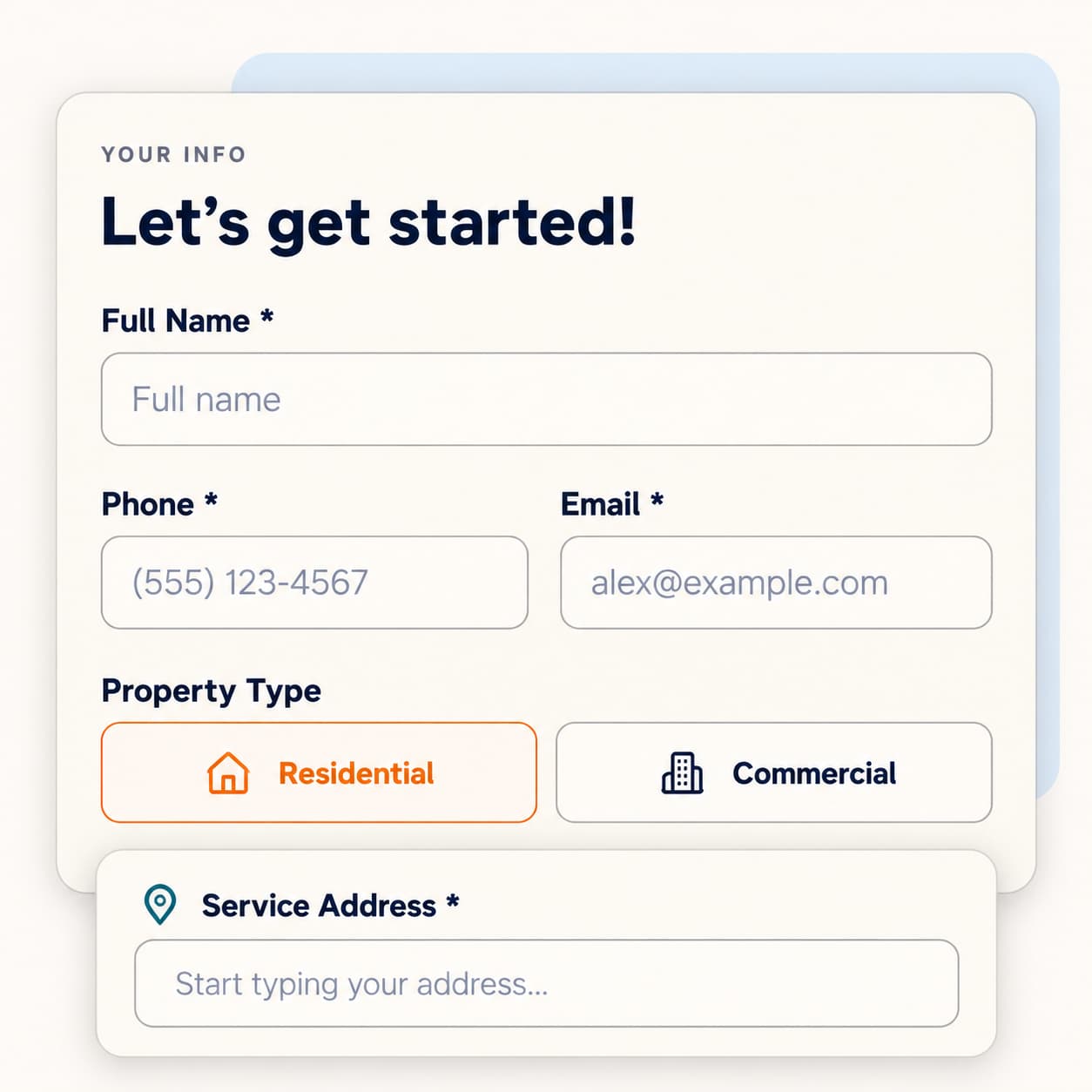
Your Info
Customers enter their name, phone, email and address. Address suggestions help them finish. If you offer both services, they choose junk removal, a dumpster or both.
Step 2
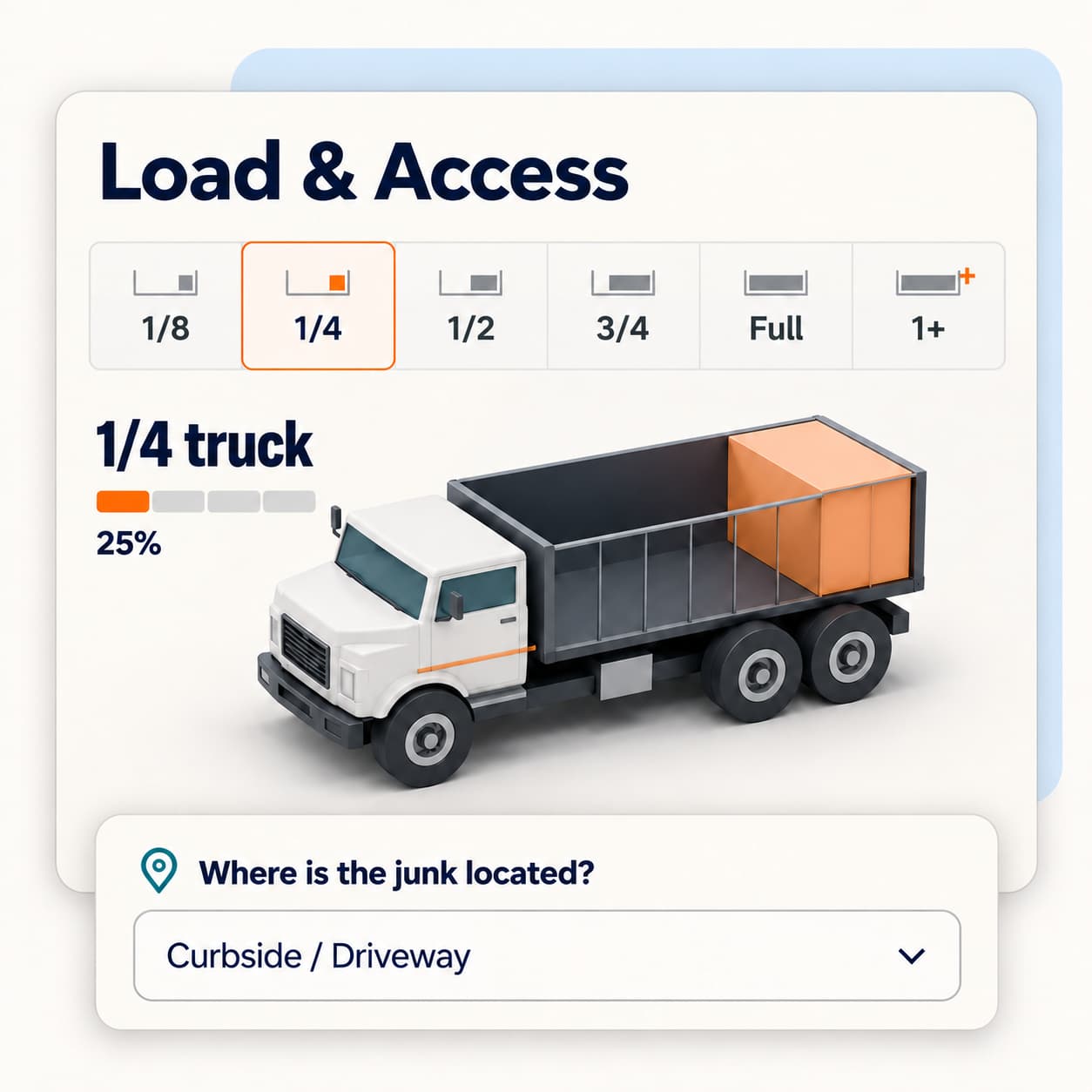
Load & Access
Pictures show loads from ⅛ of a truck to Full or more. Customers choose where the junk sits and add heavy items, appliances and e-waste. Your price range updates as they go.
Step 3
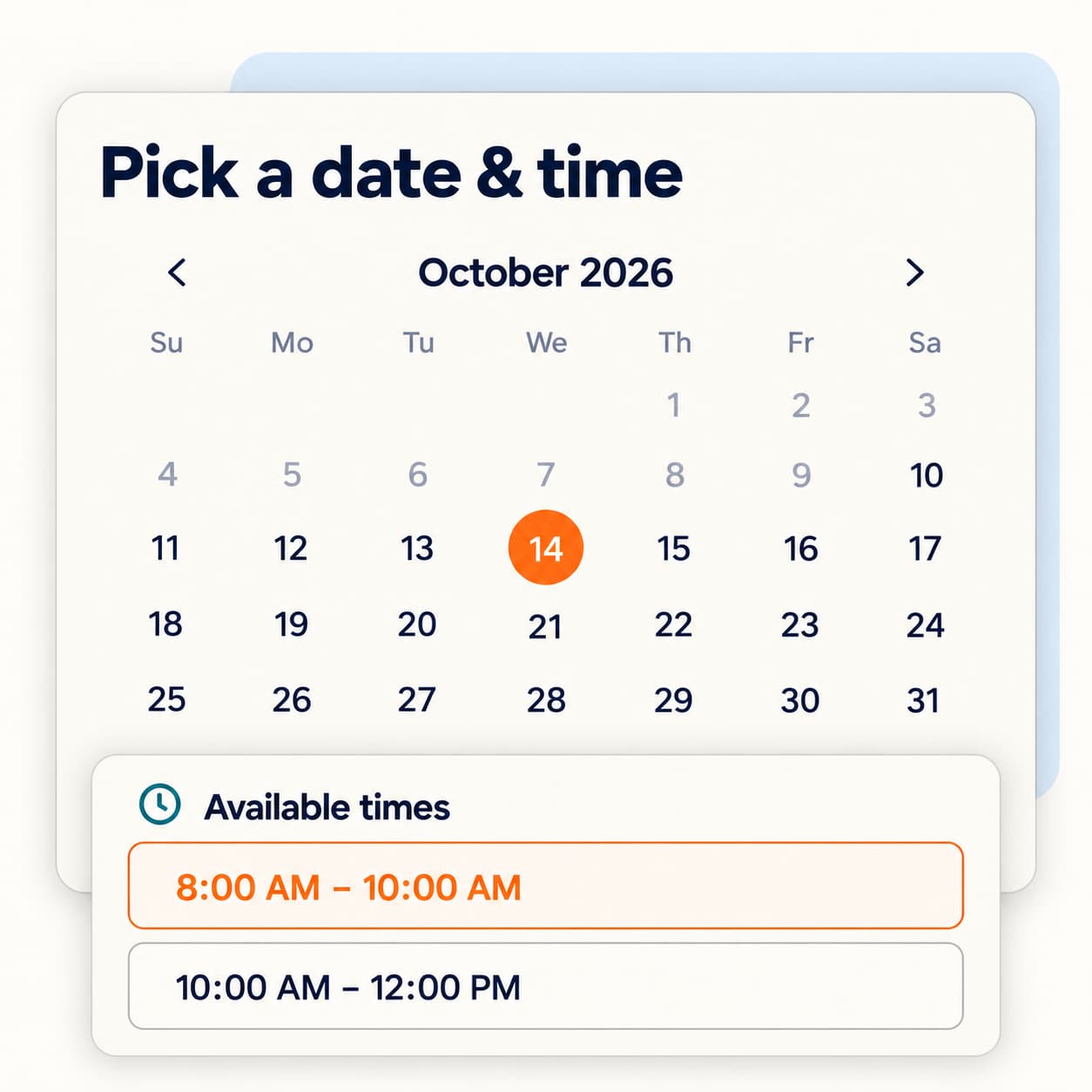
Schedule
Customers pick an available date and arrival window from your calendar.
Step 4
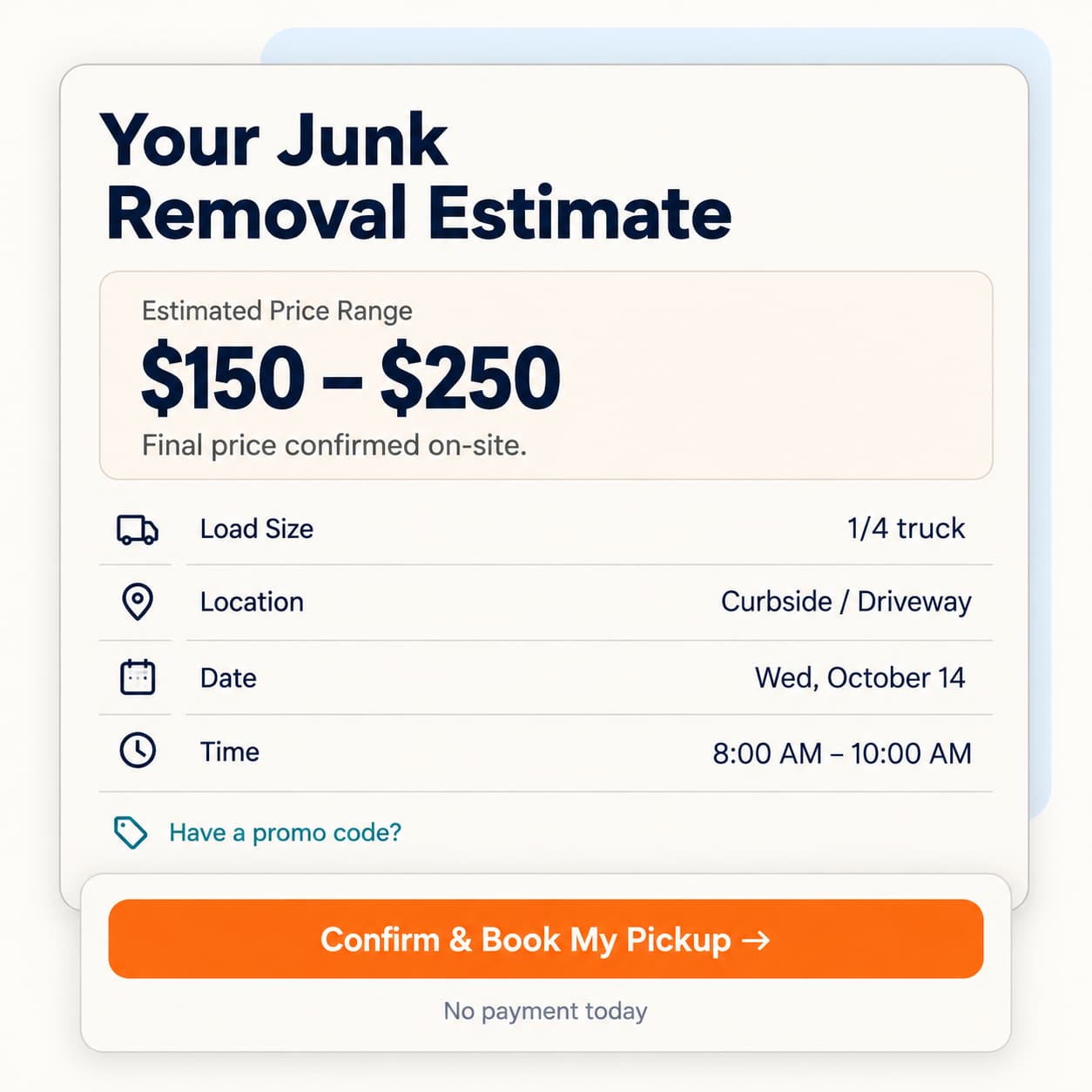
Quote & Book
They review the job, apply a promo code and check payment terms. Confirm & Book My Pickup sends the booking through.
For a dumpster rental, customers choose a container size, debris type and 7 days, 14 days or call when full.
Use your prices for every online estimate
Your junk removal Price Book controls the range customers see. Load-based pricing sets the estimate; your crew confirms the final price on site.
Build the estimate
- AccessSet rates for six access options, based on where the junk needs to be removed.
- Appliances and e-wasteAdd a flat fee for appliances and electronic waste.
- Heavy materialsSet a heavy-material charge by load size.
- Distance and same-dayAdd distance bands and an optional flat or percentage same-day fee.
- On-site estimatesMore than one truck, or “I have no idea,” offers a Free On-Site Estimate.
Set booking terms
- Load rangesSet a price range for each load size, from a small pickup to a full truck.
- Dumpster pricesSet base rent, included days and weight, then rates for extra days and weight.
- Promo codesSet dollar or percentage promo codes, use limits, end dates and links with the code filled in.
- Payment choicesJunk customers can save a card or pay the crew. Rental base rent and tax are due on approval or delivery.
Offer windows around your crews and trucks
Booking checks crewed trucks, working hours, travel time and your daily load limit before offering an arrival window.
Build arrival windows around your hours. For example, an 8–5 day can offer 8–11, 11–2 and 2–4 windows.
Set the cutoff, notice period and optional fee. The starting settings are a 2 p.m. cutoff and two hours' notice.
Show a notice for addresses outside your service radius. Your office gets an alert for a booking outside your ZIP codes.
Check container availability for the requested size and dates, with other sizes or dates shown when needed.
Give your office the details to act
Capture the inquiry
Capture junk removal leads when a customer enters contact details on the first screen. Those details create a New Lead in your Pipeline and an email alert for the owner.
Create the job
A completed junk booking includes the arrival window, price range, load size and access details, with a dashboard alert.
Assign the work
Place junk jobs on trucks manually on Starter. Growth adds automatic junk-removal routing.
Record payment
When a payment is taken, the customer receives a receipt.
Keep the customer informed
Send confirmation, a customer portal link and a day-before reminder by email and text.
Reserve the container
Available boxes can be approved, with delivery and pickup jobs for 7- or 14-day rentals. Other requests wait for approval.
Once the contact stage is complete, an unfinished inquiry can stay as a lead. Follow-up texts require active business texting, customer permission and your sending window.
Put booking where your customers find you
Use your brand, services, prices and booking rules in each option. Changes to your Price Book flow into the booking form.
ScaleYourJunk website
Online booking is built into your junk removal website, ready for customers to choose a service and time.
Your current website
Keep your site. Choose the embed option in Settings → Your Website and add the booking form.
Direct booking link
Share your booking link in Facebook posts or customer messages, so interested people can start a quote or reserve a pickup. Add the same link to junk removal advertising, junk removal business cards and junk removal flyers.
Scroll to compare
Growth adds automatic junk-removal routing. Both plans include unlimited users and trucks, with no setup fee. Starter is $149/month and Growth is $299/month; annual billing saves 20%.
FAQ
Will customers see a price before booking?
Junk customers see a range based on your Price Book, load size and selected extras. Your crew confirms the final price on site. Dumpster customers see your rental price and terms.
What if a customer does not know the load size?
The form shows illustrated load sizes. If they choose “I have no idea,” or need more than one truck, they can book a Free On-Site Estimate.
Can I add booking to my current website?
Yes. Use the embed option in Settings → Your Website. You can also share a direct booking link or use a ScaleYourJunk website with booking built in.
Can customers book junk removal and a dumpster together?
Yes. When both services are enabled, customers can choose junk removal, a dumpster rental or both. The resulting records stay linked.
What happens if someone leaves before finishing?
Once they enter their contact details, the inquiry is saved as a new lead. Your office receives an email alert even if they do not finish booking.
What is junk removal booking software?
It lets customers describe their pickup, see an estimate from your prices and reserve an open arrival window. ScaleYourJunk sends those details into your customer records and schedule.
When is the customer charged?
Junk customers can save a card or pay the crew after the job. Dumpster base rent and tax are charged on approval with a saved card; otherwise payment follows at delivery. Saving a card alone does not charge it.
Take bookings while you're on a job
Let customers choose a load, see your price range and book an open window from your website. Monthly or annual plans. No setup fee.